

Validation Templates#
Validation in datashuttle is by default restricted to the
NeuroBlueprint specification. Any subject or session names
that are not formatted correctly (e.g. not starting with
“sub-” or “ses-” will be flagged).
However, it is also possible to add custom templates to validate against by defining template names using ‘regular expressions’.
For example, say you wanted your subjects to be in the form
sub-XXX_id-XXXXXX where X is a digit (i.e. subject number with
a 6-digit id).
We can define this
as a regexp where \d stands for ‘any digit`:
"sub-\d\d\d_id-\d\d\d\d\d\d"
If this is defined as a Validation Template, any name that
does not take this form will result in a validation error.
Validation Templates can include convenience tags.
(@DATE@, @TIME@ or @DATETIME@.)
Set up Validation Templates#
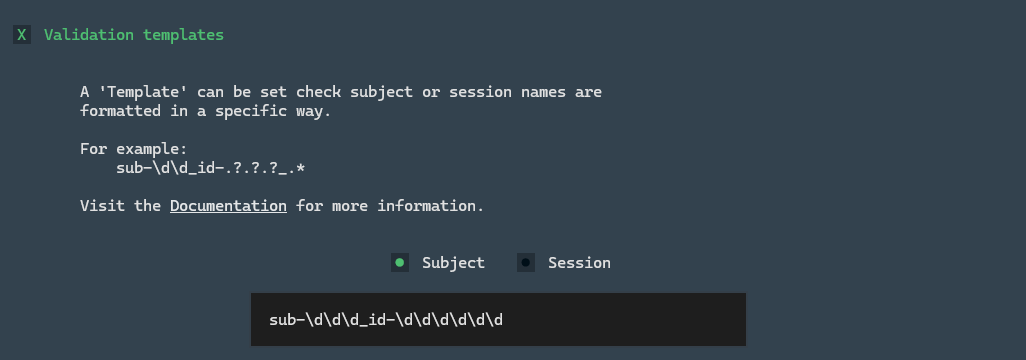
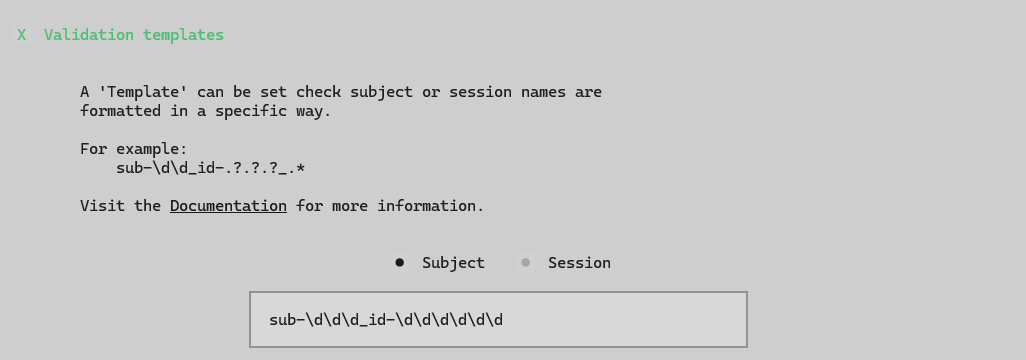
Click the Settings button in the Create tab. Scroll down to the
Validation templates section.
Clicking the checkbox will turn on Validation templates and these
can be set for subject and session independent. If the input is left empty,
no Validation Template will be applied.
Fill in the subject or session Validation Template—any changes
will be automatically saved. These settings will persist across
datashuttle sessions.
The set_validation_templates() and get_validation_templates() can be used
to set and get current Validation Template settings.
set_validation_templates() takes as input the get_validation_templates() dictionary,
which is formatted as below:
validation_templates = {
    "on": True,
    "sub": "sub-\d\d\d_id-\d\d\d\d\d\d",
    "ses": None,
}


project.set_validation_templates(
    validation_templates
)
In the above example, validation with Validation Templates is
turned on "on": True. A template is set for the subject name,
but no template is set for the session name.
Validation Template placeholders#
Placeholders (based on [regular expressions]) can be used to fill templates with yet-unknown values.
Any regular expression available in Python is permitted, but below we summarise the most useful:
- Wildcard Single Digit:
\dcan act as a placeholder for a digit.
e.g.sub-\d\d\dwill allow anysub-prefix followed by three digits.- Wildcard Single Character:
.?can act as a placeholder for any character
e.g.sub-\d\d\d_id-.?.?.?.?will allow theid-to be made up for any 4-character id.- Wildcard Range:
.*can act as a placeholder for an unknown range.
e.g.sub-\d\d\d_id-.*will allow theid-to be made up of any length combination of any characters.